
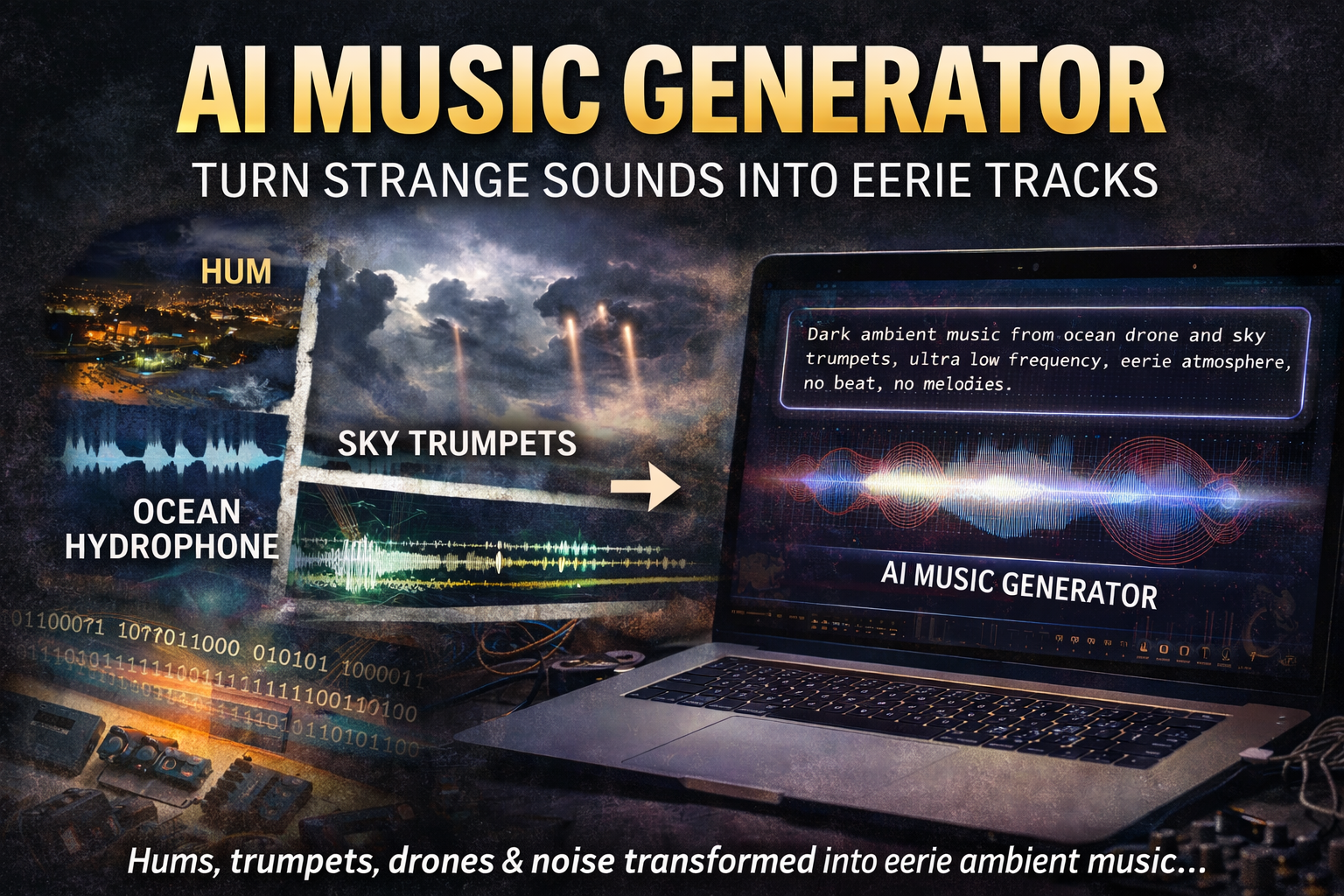
An AI music generator can transform “strange sounds” into music: low-frequency hums, ocean drones, wind howls, machine noise, or even raw datasets.
In this guide you’ll learn what an AI music generator does, which weird audio inputs work best, and how to create unsettling ambient tracks using prompts and simple workflows — without needing a studio.
What Is an AI Music Generator?
An AI music generator is a tool that creates music from patterns — usually from a text prompt (“dark ambient drone at 60 BPM”) and sometimes from audio input (field recordings, noise beds) or structured data (numbers, sensor logs, MIDI). Instead of recording every instrument, you describe the mood, tempo, structure, and sound palette, then iterate until you get a track you like.
What can you make with an AI music generator?
- Ambient drones (perfect for low-frequency “Hum” vibes)
- Cinematic tension beds (documentary / thriller atmosphere)
- Glitch & experimental loops (data-driven weirdness)
- Horror soundscapes (metallic scrapes, distant sirens, sub-bass pressure)
Secondary keyphrase note: If you’re here for strange sounds specifically, you can treat them as raw “texture” — the thing that makes your AI-generated music feel uncanny and real.
Why Strange Sounds Make Perfect AI Music Material
Strange sounds are unsettling because they often lack a visible source. That ambiguity — “What is that?” — is exactly what makes a soundscape compelling. When you feed an AI music generator a palette of hums, distant booms, wind resonance, metal vibration, or underwater noise, the result can feel alive: half-natural, half-mechanical, and hard to explain.
- Low-frequency energy = tension your body feels (even when your brain can’t locate it)
- Irregular patterns = “something’s off” (great for horror/ambient)
- Environmental realism = instant immersion
Best Inputs: Strange Sounds Edition
To get the most from an AI music generator, start with a clear “source vibe.” Here are inputs that consistently produce strong results.
1) Low-frequency hums (The Hum-style drones)
Use steady, distant engine-like tones, room resonance, or HVAC hum. These produce thick sub-bass beds that AI can shape into cinematic drones.
2) Ocean & hydrophone-style audio
Water is a natural synthesizer: bubbles, pressure, cracking ice, distant ship engines. Even simple shoreline recordings can become deep-sea ambience.
3) Sky “trumpets” and metallic resonance
For that “sky trumpet” feel, aim for brass-like resonance, metallic harmonic stacks, and slow pitch bends — but keep it subtle (too loud = parody).
4) Machine noise (data centers, fans, transformers)
Modern infrastructure adds rich textures: electrical buzz, oscillating fans, rhythmic clicks. These often translate into great glitch/industrial loops.
5) Data as sound (numbers → music)
Try converting sensor logs, earthquake magnitudes, geomagnetic indexes, or even random sequences into musical parameters (tempo, scale, density). The result can be eerie and “structured-chaotic.”
How to Use an AI Music Generator (Step-by-Step)
- Pick a goal: ambient drone, cinematic tension, glitch loop, horror bed.
- Choose your strange sound texture: hum, ocean, wind, machine noise, etc.
- Write a prompt with: genre + mood + tempo + instruments + structure + “do/don’t.”
- Generate 3–6 variations and keep the best 10–20 seconds from each.
- Refine: ask for “less melody, more drone,” “slower evolution,” “deeper sub,” “wider space.”
- Export + layer (optional): add a subtle field recording under the AI track for realism.
Pro tip: If your tool supports “negative prompts,” use them. They’re the fastest way to avoid cheesy EDM drops when you want quiet dread.
AI Music Generator Prompts (Copy/Paste)
Use these as templates. Replace the bracketed parts with your input vibe. (Yes, repeating the keyphrase naturally helps SEO, but the prompts are here because they’re actually useful.)
Dark ambient / Hum vibe
- AI music generator prompt: “Dark ambient drone, 60 BPM, inspired by a low-frequency town hum, sub-bass pressure, slow evolving harmonics, no drums, no lead melody, cinematic space, 2 minutes.”
- AI music generator prompt: “Minimal horror ambience, distant industrial hum, very slow movement, sparse metallic overtones, deep reverb, no vocals, no beat, uneasy atmosphere.”
Ocean / deep-sea vibe
- AI music generator prompt: “Underwater drone soundscape, hydrophone texture, distant whale-like tones, icy cracking, slow pulsing, no percussion, cinematic documentary mood.”
- AI music generator prompt: “Deep ocean ambience with pressure groans and bubble clicks, dark tonal bed, subtle rises, no melody, no pop structure.”
Sky trumpets / metallic resonance
- AI music generator prompt: “Eerie atmospheric drone with distant trumpet-like harmonics, slow pitch bends, foggy sound, sparse and believable, no jump scares, no EDM.”
- AI music generator prompt: “Cinematic tension bed, metallic resonance like ‘sky trumpets’ far away, low sub, wide stereo, slow evolution, 90 seconds.”
Machine / data-center ambience
- AI music generator prompt: “Industrial ambient loop, data-center fan oscillation, transformer buzz, glitch textures, minimal rhythm, no vocals, cold and mechanical.”
- AI music generator prompt: “Experimental ambient, electrical interference, granular noise, slow pulses, no clear beat, uneasy but clean mix.”
Data-driven weirdness
- AI music generator prompt: “Ambient track generated from numeric patterns, irregular pulses mapped to tempo changes, microtonal drift, no drums, eerie calm, 2 minutes.”
- AI music generator prompt: “Glitch ambient based on sensor data, sparse clicks, evolving drone, tension build without a drop, no vocals, no chorus.”
Common Mistakes (and How to Fix Them)
Mistake: It sounds generic or “stock”
Fix: Add a strange sound anchor: “low-frequency hum,” “hydrophone crack,” “metal resonance,” “wind resonance.” Ask for “slower evolution” and “fewer notes.”
Mistake: The generator adds a cheesy beat/drop
Fix: Use negative constraints: “no EDM, no trap hats, no drop, no pop structure, no vocals.”
Mistake: It’s too loud or harsh
Fix: Ask for “softer transients,” “less high-frequency noise,” “more space,” “gentle dynamics,” and keep it minimal.
FAQ
Can an AI music generator turn noise into music?
Yes. Many tools can generate music from text prompts, and some can also use audio or data as inspiration. Even when you only prompt with text, describing the noise (“industrial hum,” “ocean drone,” “wind resonance”) helps steer the output.
What is the best AI music generator for ambient music?
The best option depends on whether you want text-to-music, audio-to-music, or editing/extension features. For ambient, prioritize tools that allow longer generations, subtle dynamics, and strong control over “no drums / no vocals.”
Is there a free AI music generator?
Some services offer free tiers or trial credits. If you’re experimenting, start with short drafts and iterate your prompts before generating longer tracks.
How do I write better AI music generator prompts?
Include genre (ambient/cinematic), mood (uneasy/calm), tempo (or “no beat”), sound palette (hum/ocean/machine), structure (slow evolving), and don’ts (no vocals, no drop).
Why do strange sounds feel creepy even when they’re harmless?
When a sound has no visible source, your brain treats it as potential threat. That’s why “The Hum” and sky trumpet-style noises feel ominous — and why they make such effective raw material for eerie music.
Authority Cues & Further Reading
Use these as references and context (they’re not required reading to use an AI music generator, but they help ground the “strange sounds” side).